Features
Track your training. Understand your progress. Improve, one set at a time.
Logging
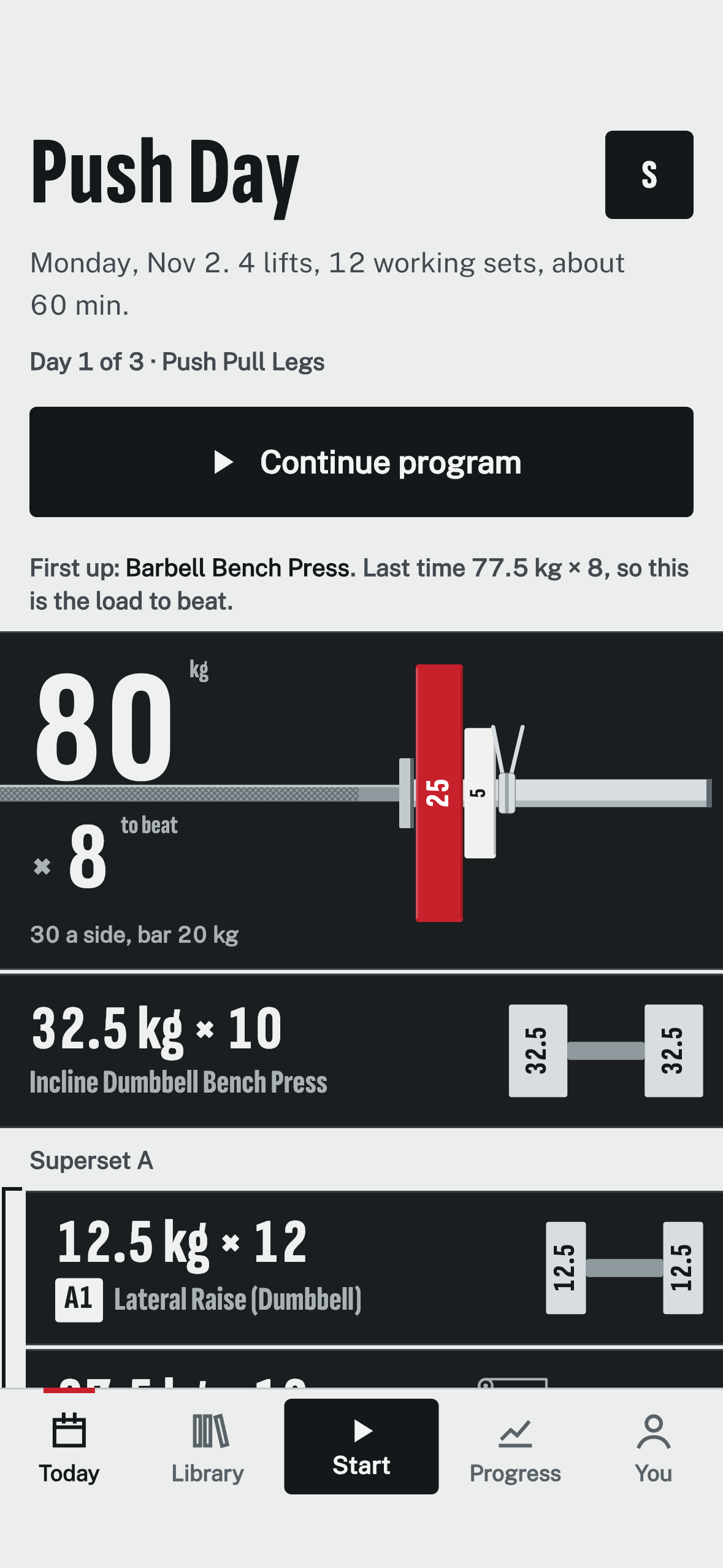
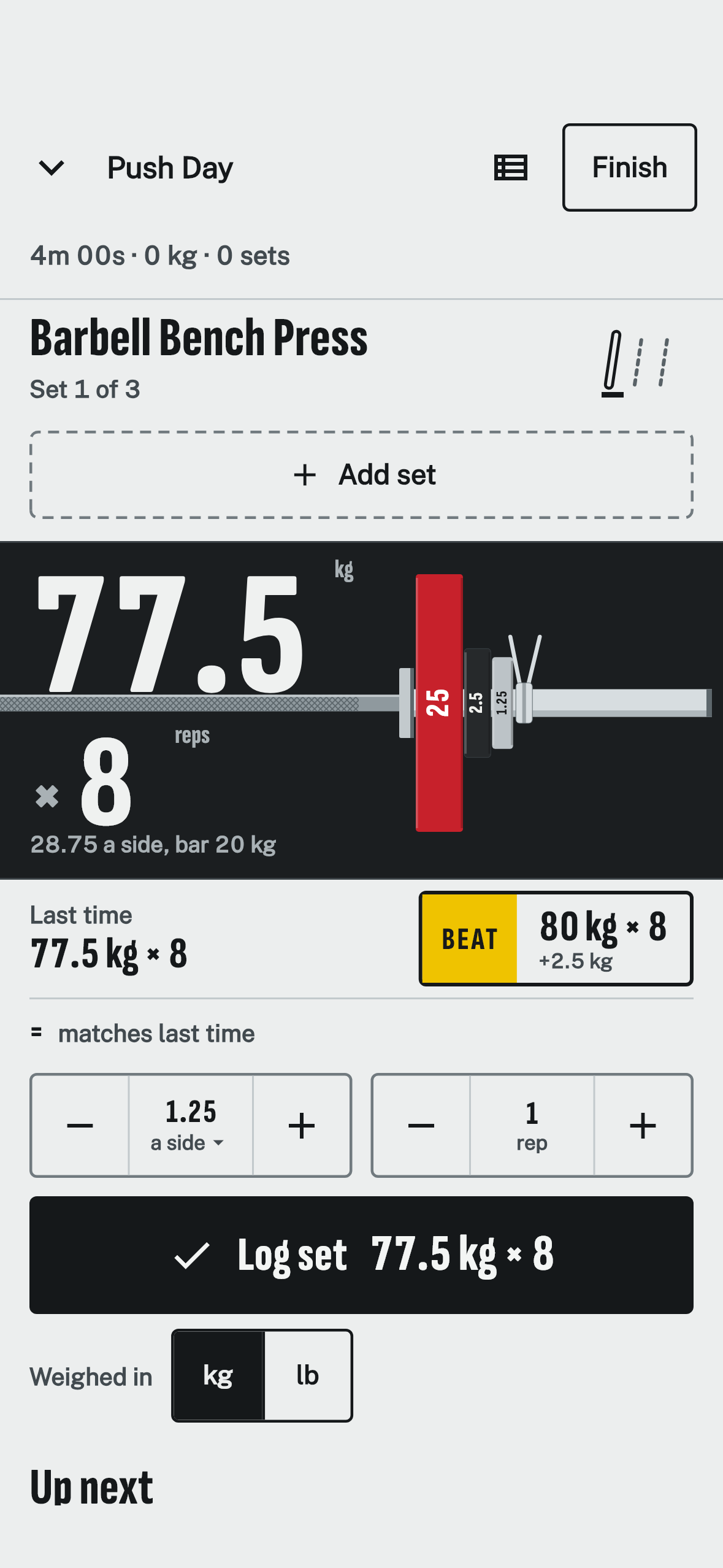
Logging a set is built to take two seconds.
Log a set
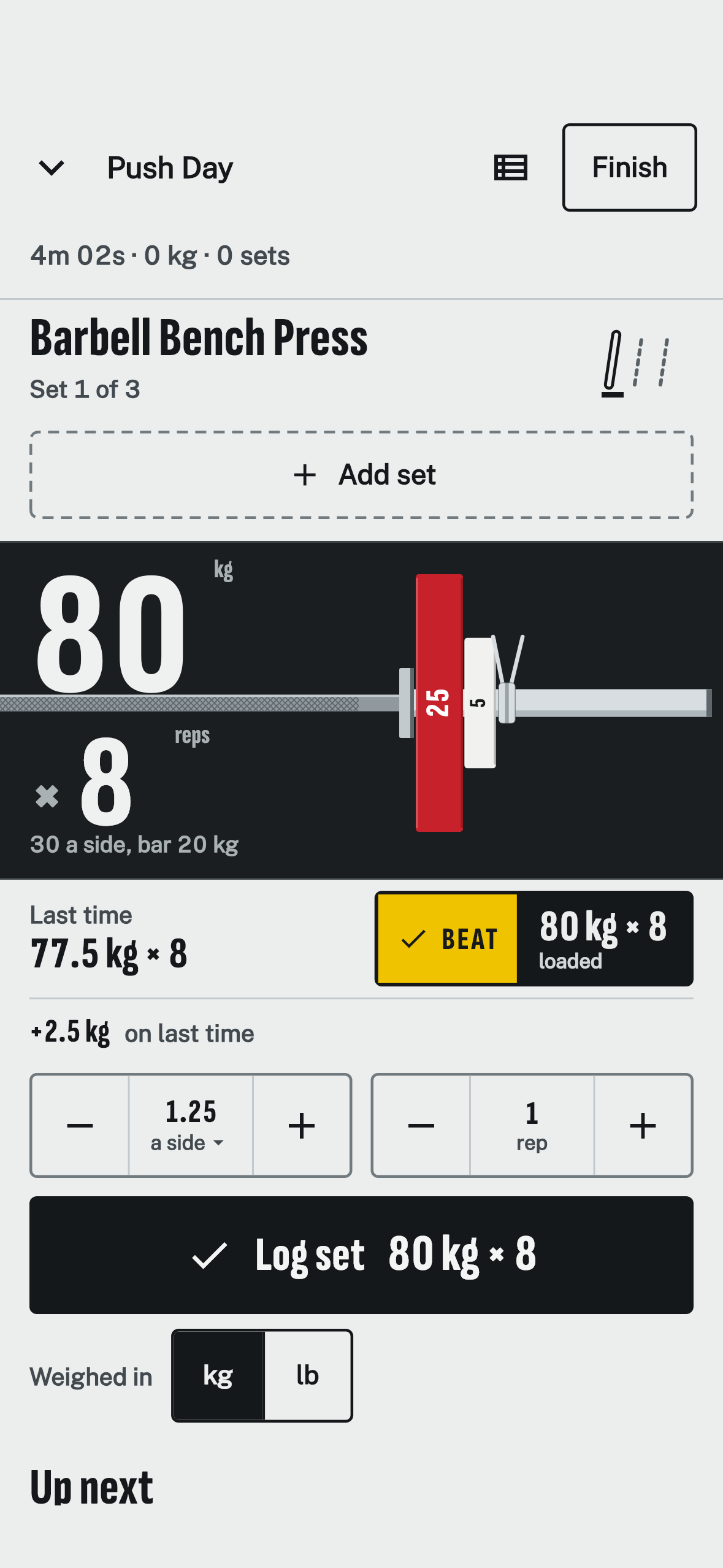
Weight, reps, tap LOG. About two seconds, even mid-workout.
BEAT target
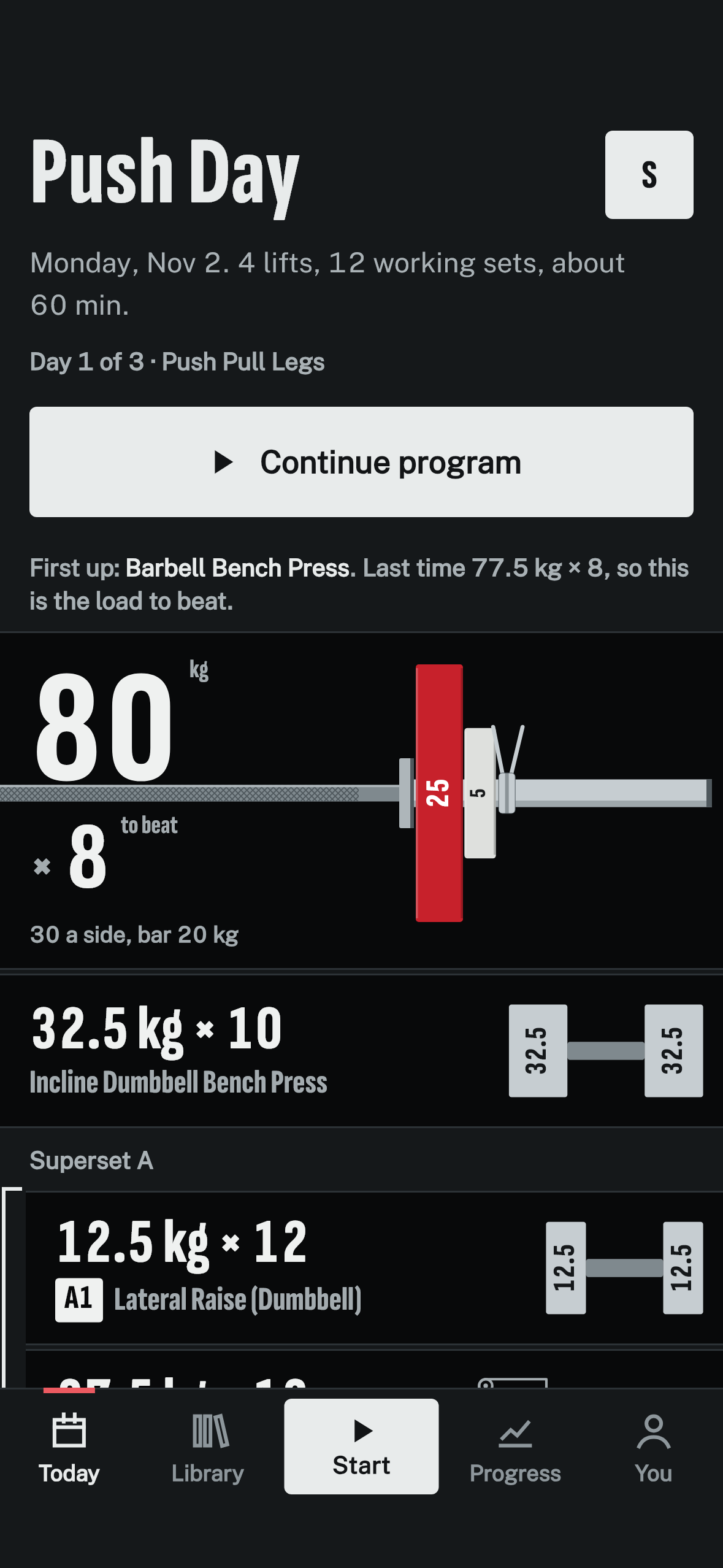
Know the exact set that beats last time, and load it in one tap.
Comparison line
See at a glance whether this set matched or beat last time.
Warm-up sets
Log warm-ups separately from your working sets.
Exercise notes
Remember seat heights, grips and cues for next time.
Rest timers
Know when to start your next set, even with the phone locked.
Workout reminders
A nudge on the days you plan to train.
Built-in and custom exercises
Find common lifts fast, or add your own.
Plates and equipment
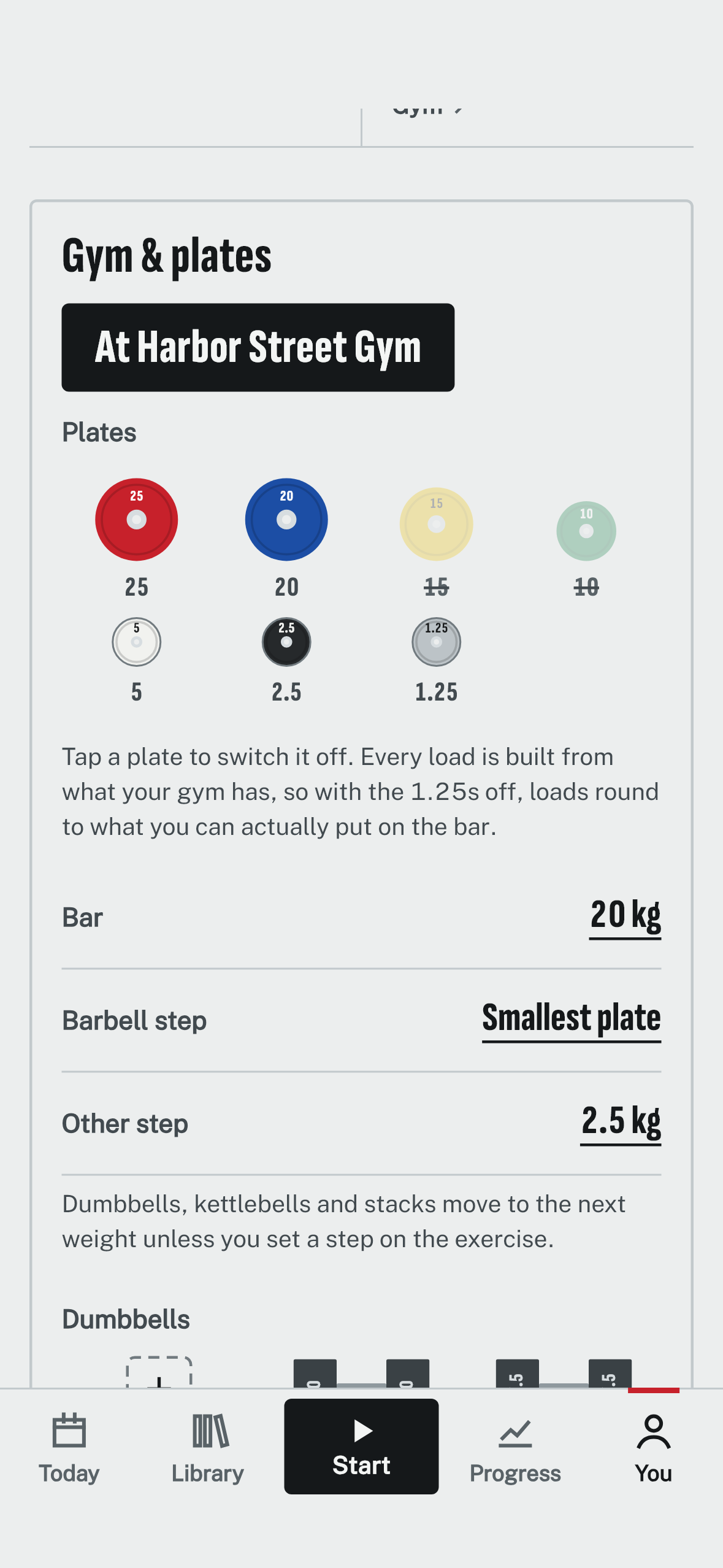
Every step and suggestion uses only weights you can load.
No plate math
See exactly which plates go on each side of the bar for any weight.
Dumbbells, cables and dip belts
See which dumbbell to grab or which weight to set on the stack.
Your gym’s equipment
Tell it what your gym has, from plates to bands.
Weight steps you can load
Go up in steps you can actually load.
More than one gym
Each gym keeps its own equipment.
kg or lb, per exercise
Choose kilograms or pounds for the whole app, or give one lift its own unit.
Planning
Start with a routine or an empty workout.
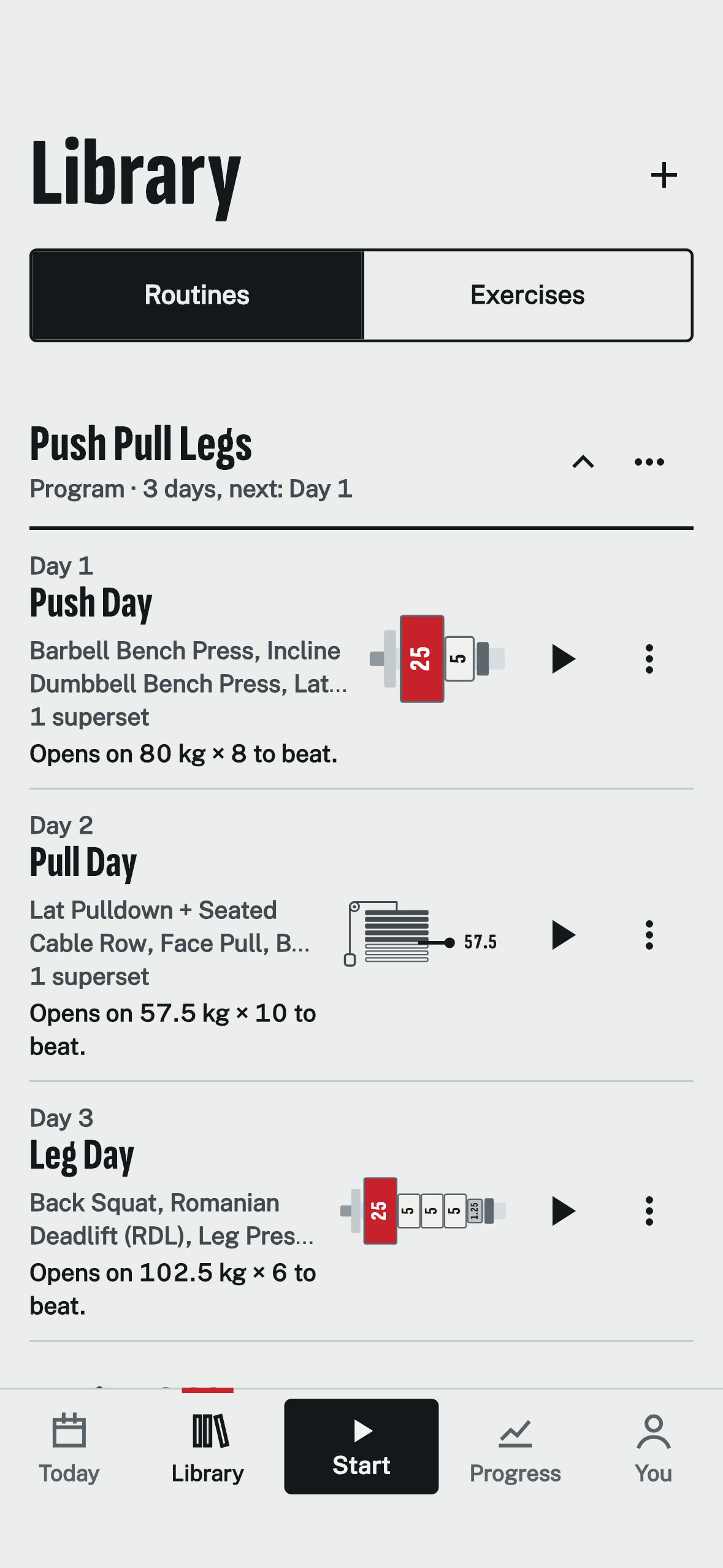
Routines
Set up your training days once, then start them in one tap.
Reorder exercises
Match the order you actually lift in.
Supersets
Pair lifts to save time between sets.
Folders
Keep your routines tidy.
Programs
Always know which day of your program is next.
Progress
The rest of the app turns those sets into your next goal.
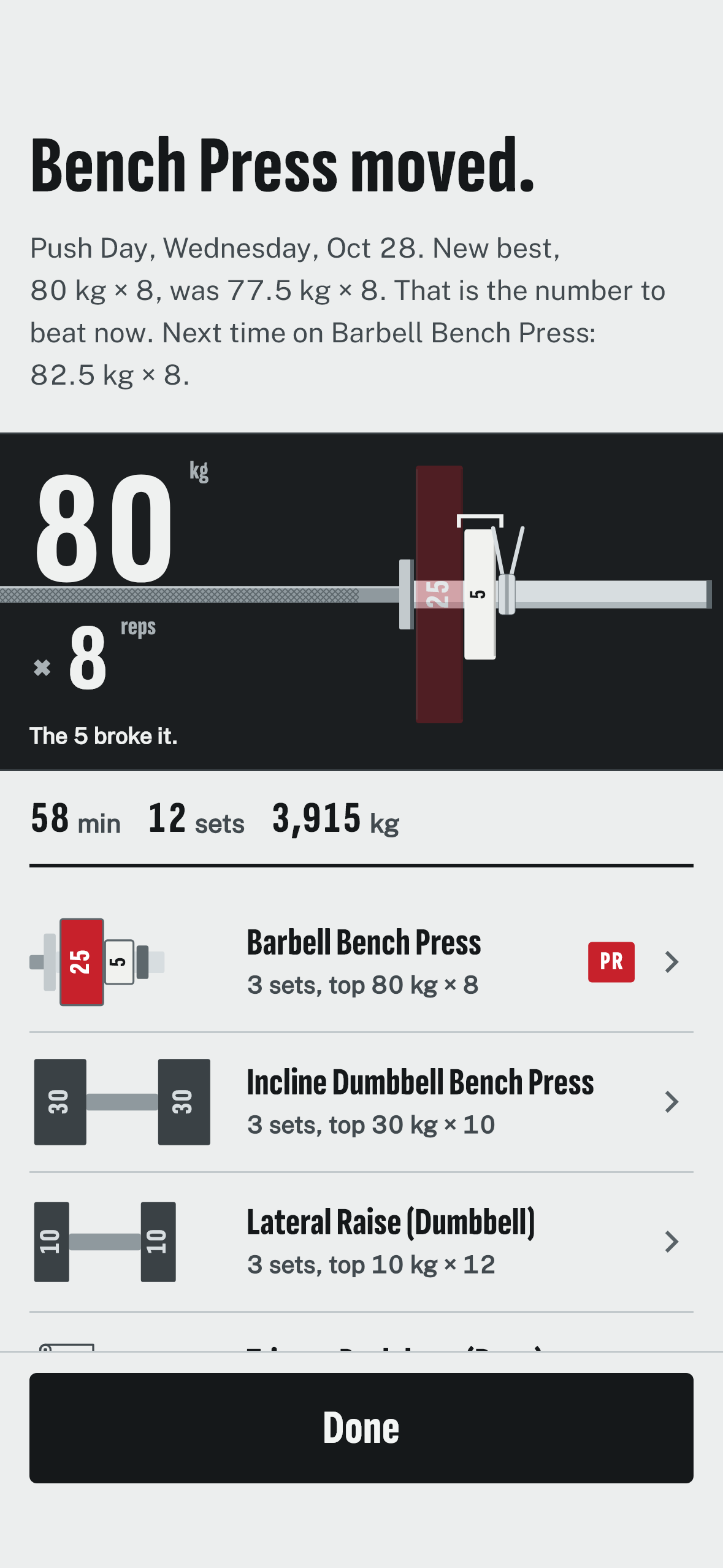
Workout summaries
See what moved forward after every workout.
Personal records
Know the moment you set a new best.
Progress charts
Watch each lift climb over time.
Previous sessions
Check what you did last time before you start.
Body weight
Follow your weight trend toward a goal.
Calendar
See how consistent you’ve been, month by month.
Settings and privacy
Nothing to sign up for. Your workouts stay on your phone.
Free
No ads and no in-app purchases at launch.
Works offline
Log and review everything without a connection.
No account
There is nothing to sign up for.
Backup and restore
Keep your history safe in a file you control.
Light and dark themes
Easy to read in a bright gym or a dark room.
Crash reports, off by default
Help fix bugs only if you choose to.
Coming soon.
YallaLift is coming soon to Google Play and the App Store. Android arrives first, then iPhone.
- Coming soon to Google Play
- Coming soon to App Store
Free
No ads and no in-app purchases at launch.
Works offline
Log and review everything without a connection.
No account
Nothing to sign up for. Your workouts stay on your phone, and you can export a backup file any time.